

We only collect data from the last 90 days.
Data collection
The integration collects information about:Members
- Full Name
- Username
- Avatar if provided
- Join server date
- Roles
- Bio
Conversations
- Active Threads from public channels
- Archived Threads from public channels
- Messages from public channels
- Replies from public channels
- Reactions from public channels
Activity Types
When you connect your Discord server, activity types are automatically generated and integrated.- Create a thread
- Reply to thread
- Write a message
- Reply to message
- Add reaction
Real-Time Updates
Once connected, Conquest syncs the following events in real-time:- Members joining the server
- Members updates
- Members removed from the server
- Threads, messages, replies, reactions in public channels
- Creation, updates, and deletion of public channels
- Creation, updates, and deletion of roles
Setup guide
1
Connect Your Workspace
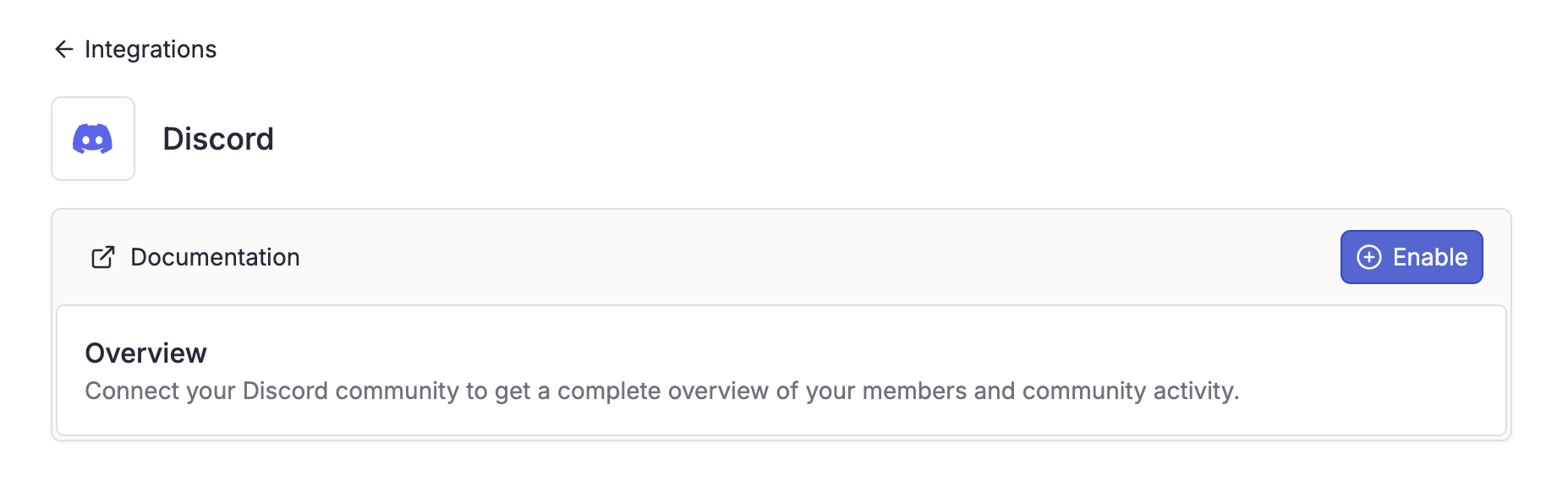
- Navigate to Settings > Integrations.
- Select Discord.
- Click “Enable” to start the connection process.
2
Authorize Access
Complete the OAuth process on Discord.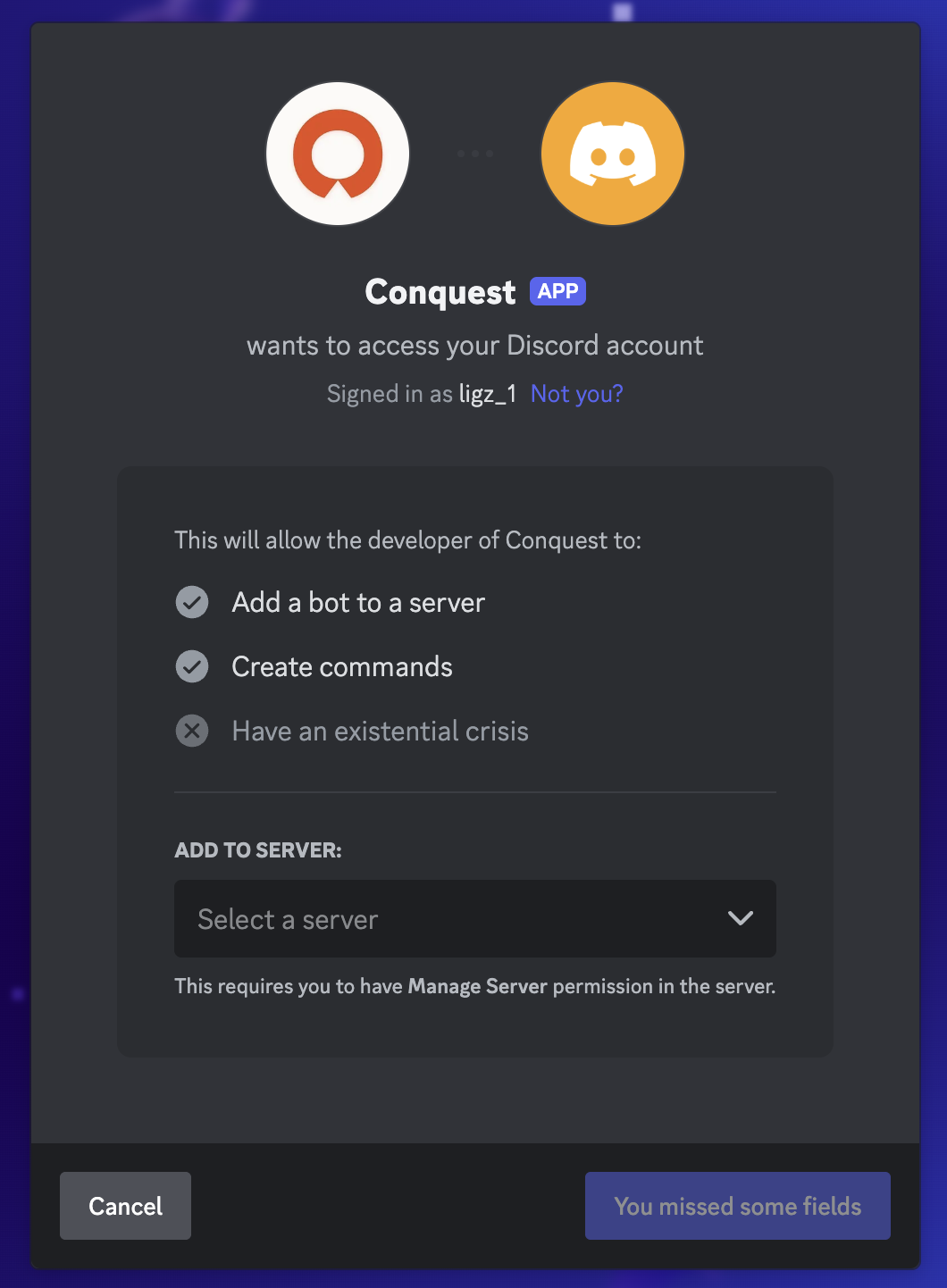
3
Select Channels
Once authorized, you’ll be redirected to Conquest to select public channels for data collection.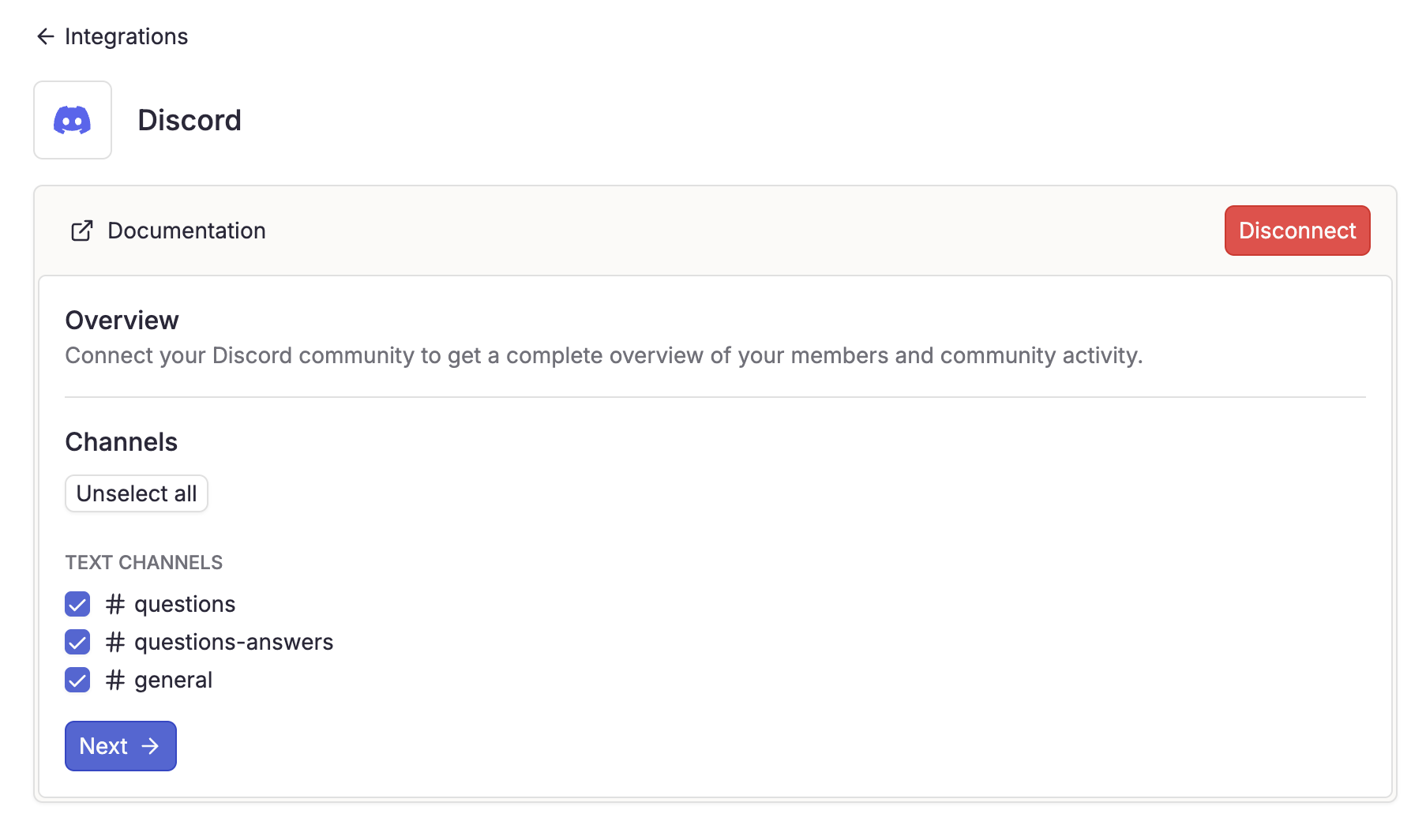
- Select the channels you want to collect data from
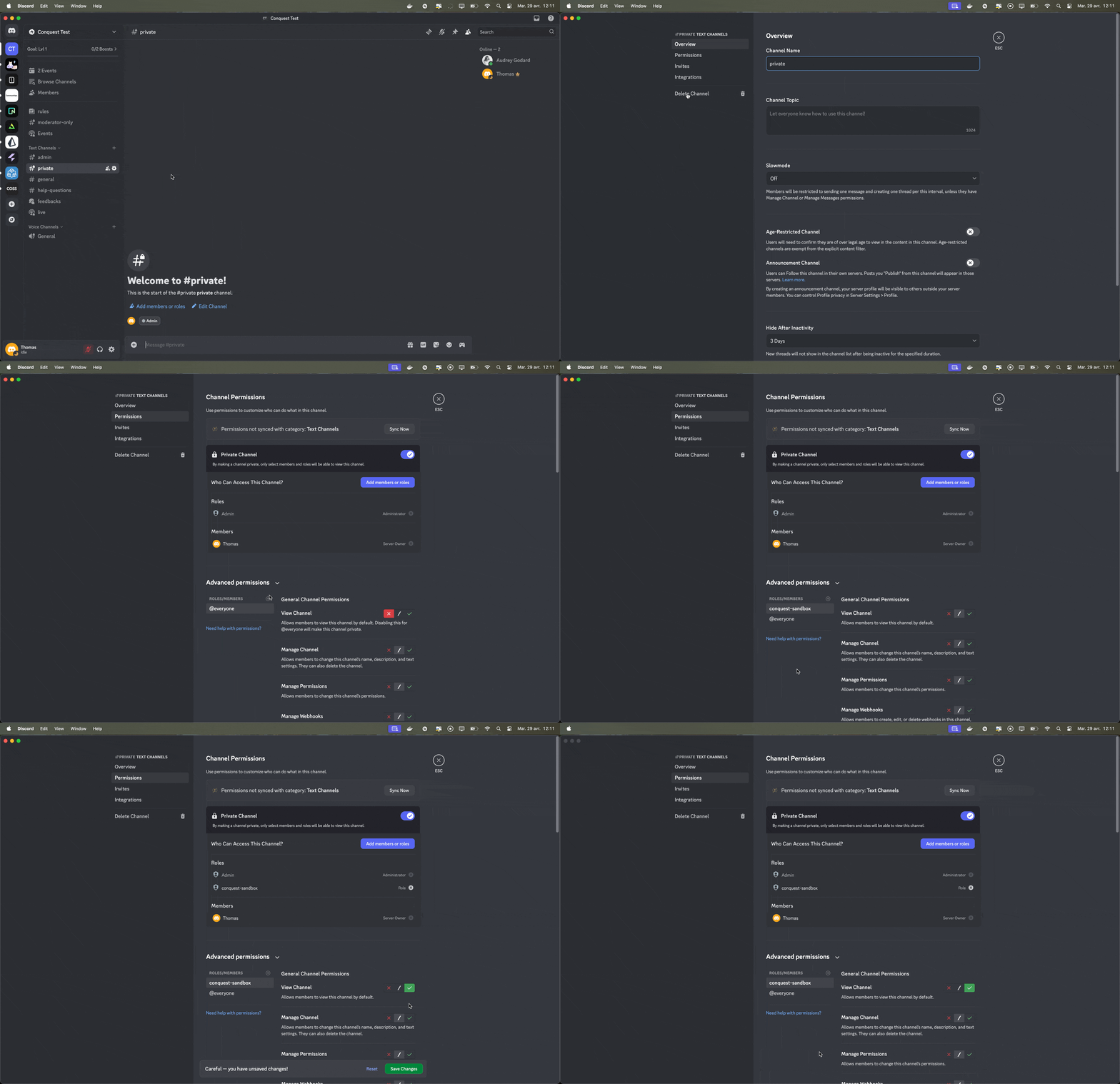
Missing channels
If you don’t see your channels, you have to overwrite your channel permissions.- Go to “Edit Channel”
- Click on “Permissions”
- Go to “Advanced permissions” section
- Click on ”+” near “roles/members”
- Select “Conquest” in “roles” section
- Overwrite the permission “View Channel” by selecting the green check.
- Click on “Save changes”
- Refresh the Conquest page to see the new channel.
4
Configure Activity Types
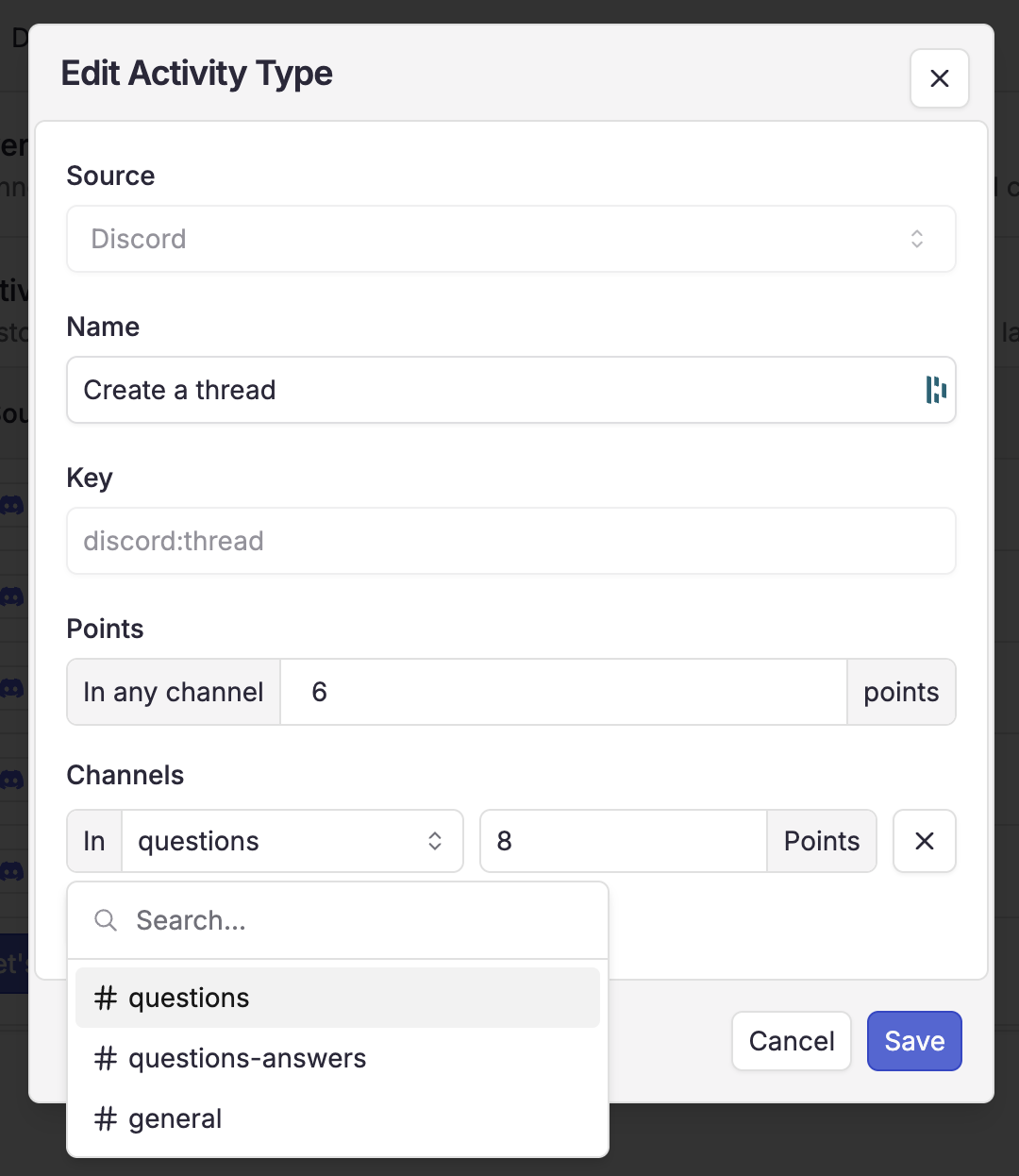
Conquest automatically generates activity types based on the data collected.
You can add conditions on specific channels to fit your community’s scoring system.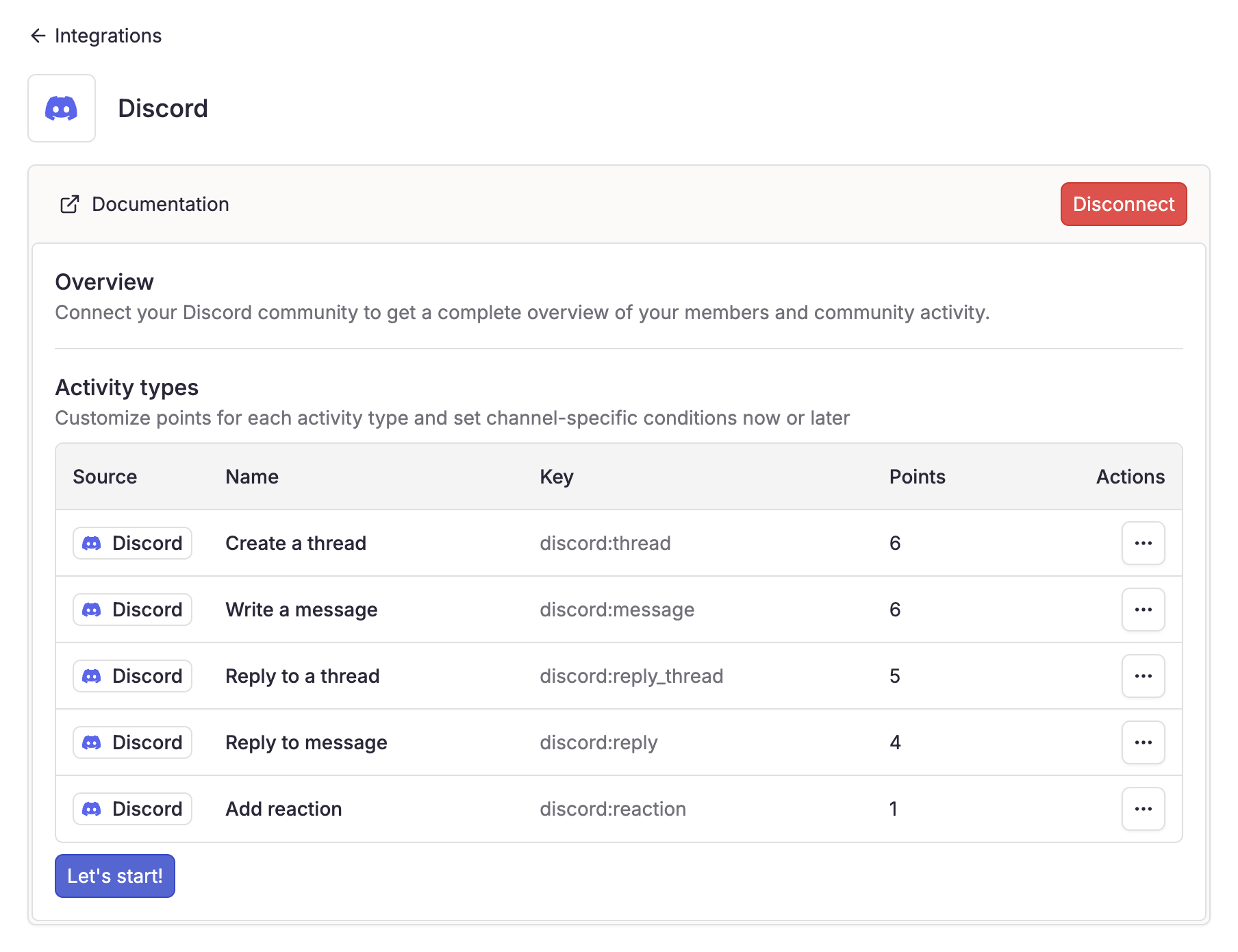
FAQ
Why my Discord server is not visible?
Why my Discord server is not visible?
- Confirm that you are an admin of the Discord server
- Ensure you are logged into the correct Discord account
Need Help?
Contact Support
For any issues with your integration, our support team is here to help:
support@useconquest.com.
Join the Community
Get additional support and answers by connecting with other Conquest users in our community:
Slack.