> ## Documentation Index
> Fetch the complete documentation index at: https://docs.useconquest.com/llms.txt
> Use this file to discover all available pages before exploring further.
# Slack Integration
> Connect and manage your Slack community data with Conquest.
The Conquest Slack integration enables you to access and manage community data from your workspace. Gain insights into community engagement, member activities and behaviors, all in one place.
If you are in free plan, you will only be able to collect data from the last 90 days.
## Data collection
The integration collects information about:
### Members
* **Full Name**
* **Email**
* **Job Title** if provided
* **Phone** if provided
* **Avatar** if provided
* **Locale**
The Slack API does not provide join date.
### Conversations
* **Messages** from public channels
* **Replies** from public channels
* **Reactions** from public channels
## Activity Types
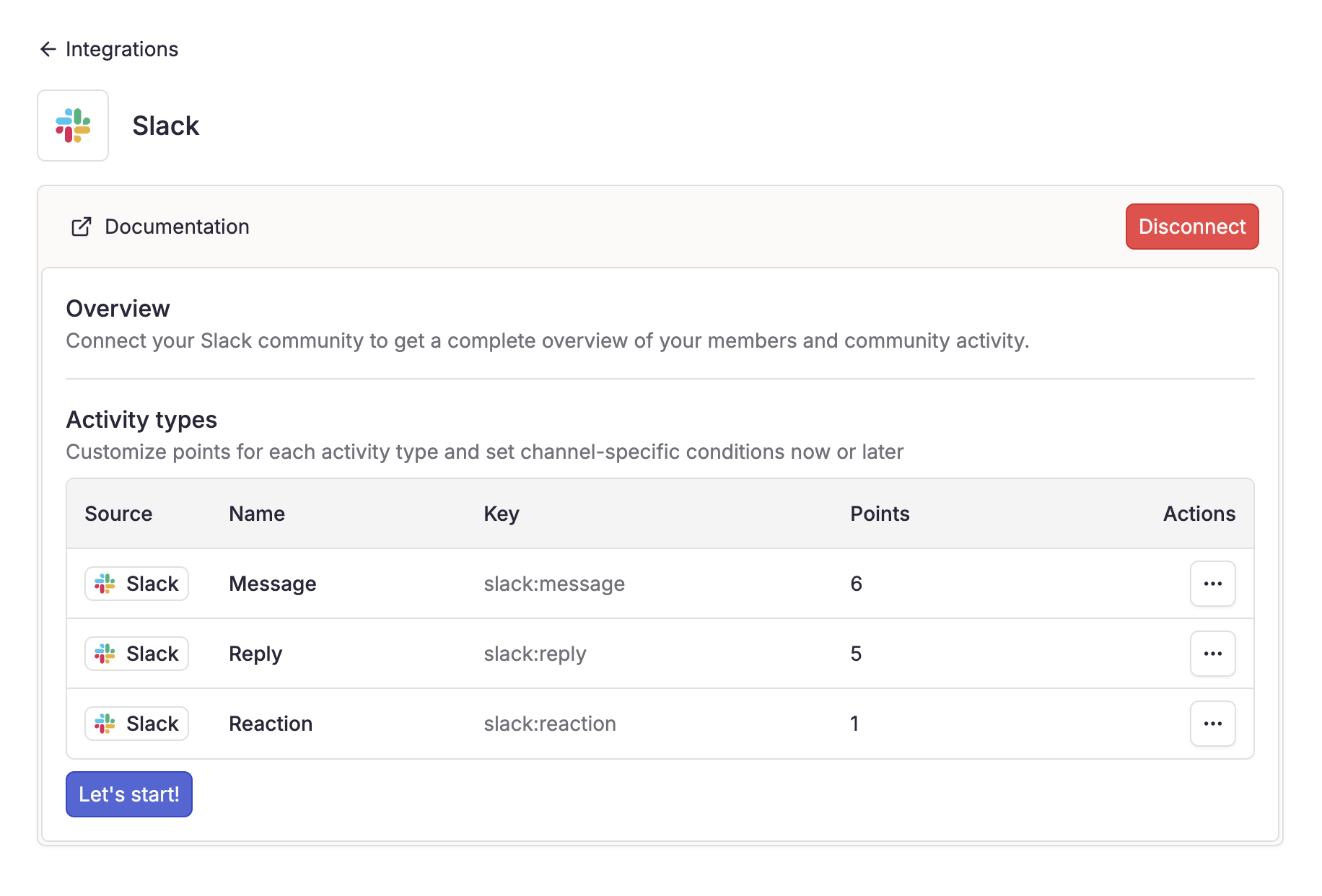
When you connect your Slack workspace, activity types are automatically generated and integrated.
Activity weights can be customized to fit your community's scoring system.
* **Write a post**
* **Reply to post**
* **Add reaction**
## Real-Time Updates
Once connected, Conquest syncs the following events in real-time:
* **Members joining the workspace**
* **Messages, replies, reactions in public channels**
* **Creation, updates, and deletion of public channels**
* **App uninstallation**
## Setup guide
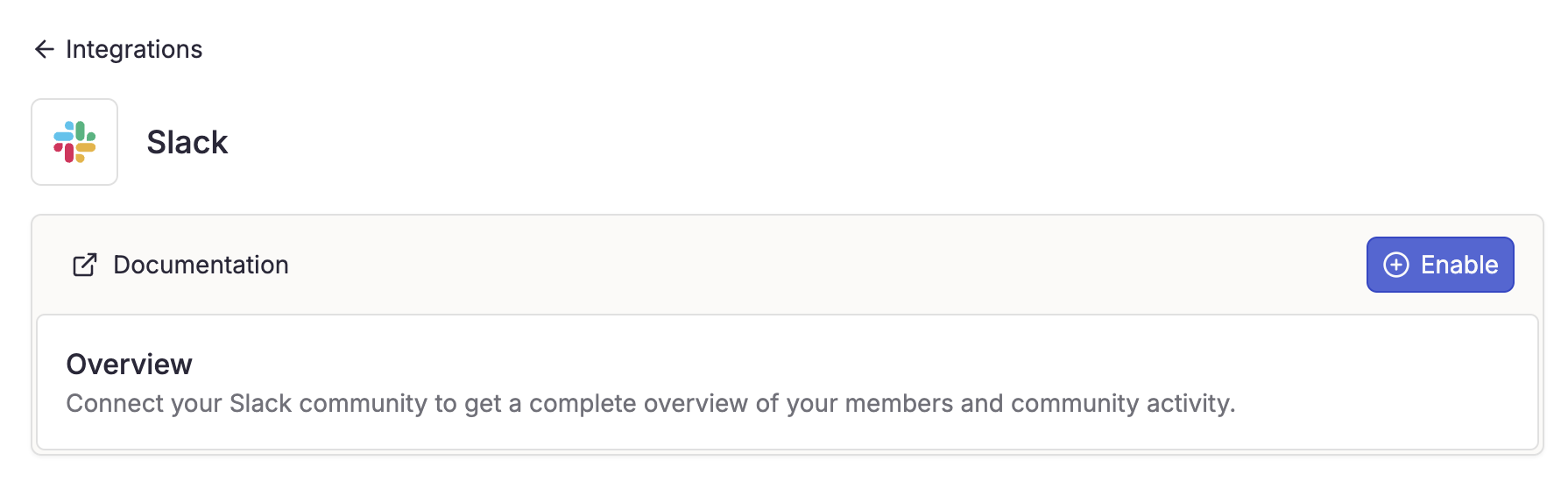
1. Navigate to **Settings** > **Integrations**.
2. Select **Slack**.
3. Click **"Enable"** to start the connection process.
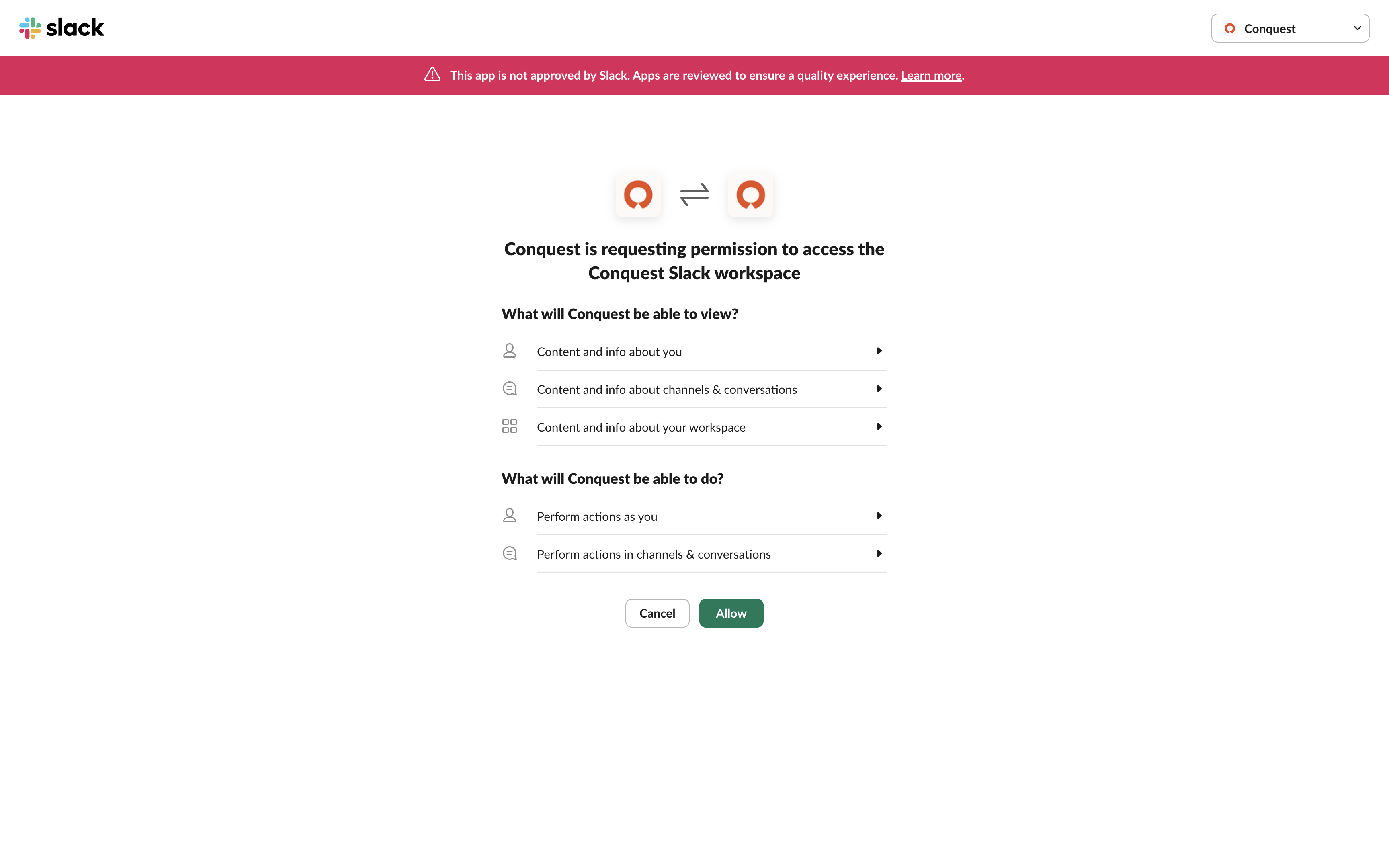
 Complete the OAuth process on Slack.
You must be an admin of the Slack workspace.
Complete the OAuth process on Slack.
You must be an admin of the Slack workspace.
 Once authorized, you'll be redirected to Conquest to select public channels for data collection.
If no channels appear, ensure they are not private.
Once authorized, you'll be redirected to Conquest to select public channels for data collection.
If no channels appear, ensure they are not private.
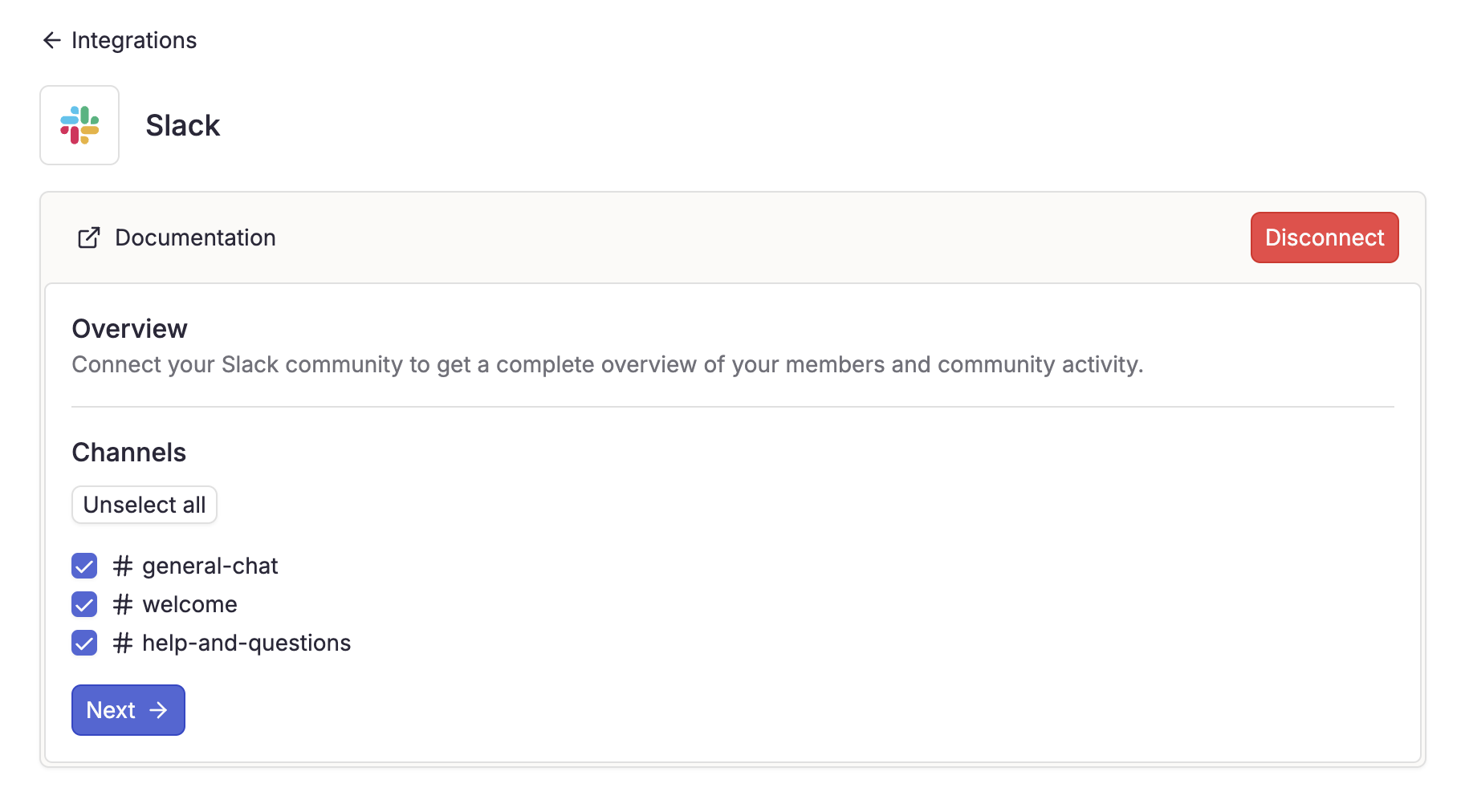 1. Select the channels you want to collect data from
2. Click **"Let's Start"**
Conquest automatically generates activity types based on the data collected.
You can add conditions on specific channels to fit your community's scoring system.
1. Select the channels you want to collect data from
2. Click **"Let's Start"**
Conquest automatically generates activity types based on the data collected.
You can add conditions on specific channels to fit your community's scoring system.
 The data collection duration depends on your community size and can take from a few minutes to several hours to complete.
## FAQ
* Confirm that you are an admin of the Slack workspace
* Ensure you are logged into the correct Slack account
* Check if the workspace is already connected to Conquest in other workspace
## Need Help?
For any issues with your integration, our support team is here to help:
[support@useconquest.com](mailto:support@useconquest.com).
Get additional support and answers by connecting with other Conquest users in our community:
[Slack](https://join.slack.com/t/useconquest/shared_invite/zt-2x4fg4fut-7k0G3_D649TkfPc5WIPdgA).
The data collection duration depends on your community size and can take from a few minutes to several hours to complete.
## FAQ
* Confirm that you are an admin of the Slack workspace
* Ensure you are logged into the correct Slack account
* Check if the workspace is already connected to Conquest in other workspace
## Need Help?
For any issues with your integration, our support team is here to help:
[support@useconquest.com](mailto:support@useconquest.com).
Get additional support and answers by connecting with other Conquest users in our community:
[Slack](https://join.slack.com/t/useconquest/shared_invite/zt-2x4fg4fut-7k0G3_D649TkfPc5WIPdgA).