> ## Documentation Index
> Fetch the complete documentation index at: https://docs.useconquest.com/llms.txt
> Use this file to discover all available pages before exploring further.
# Livestorm Integration
> Connect your Livestorm workspace to access all your webinar sessions and participant data.
The Conquest Livestorm integration enables you to connect your Livestorm workspace and access all your webinar sessions and participant data.
Track registrations, attendance, co-hosting information from your webinars in one centralized place.
We only collect events from the last 90 days.
## Data collection
The integration collects information about:
### Members
* **Full Name**
* **Email**
* **Avatar** if provided
* **Locale**
### Events
* **Sessions details**
* **Registrants**
* **Co-hosts**
* **Attendees**
## Activity Types
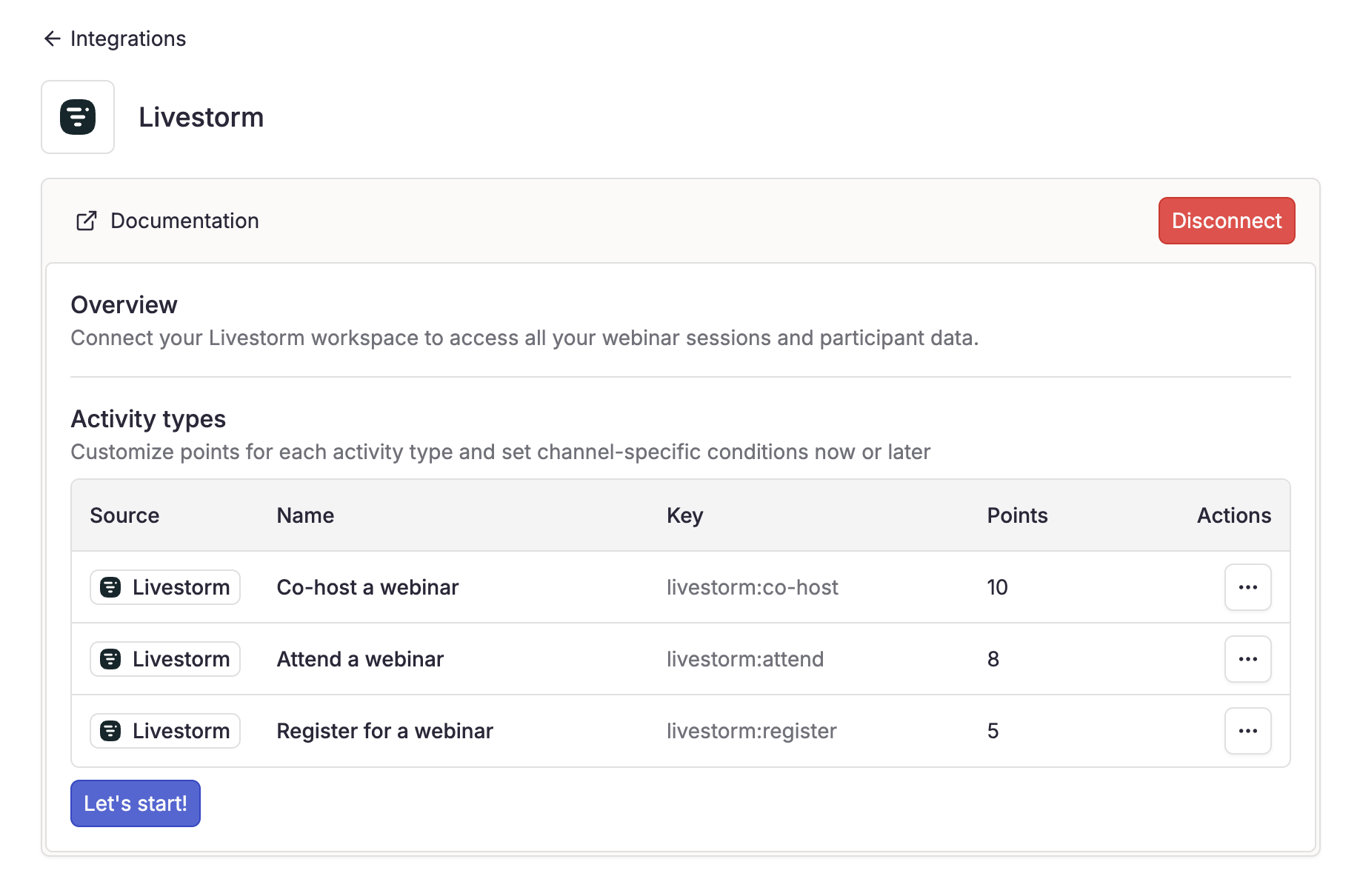
When you connect your Livestorm workspace, activity types are automatically generated and integrated.
Activity weights can be customized to fit your community's scoring system.
* **Co-host a webinar**
* **Attend a webinar**
* **Register for a webinar**
## Real-Time Updates
Once connected, Conquest syncs the following events in real-time:
* **Member registration**
* **Member attendance**
* **Member co-hosting**
## Setup guide
1. Navigate to **Settings** > **Integrations**.
2. Select **Livestorm**.
3. Click **"Enable"** to start the connection process.
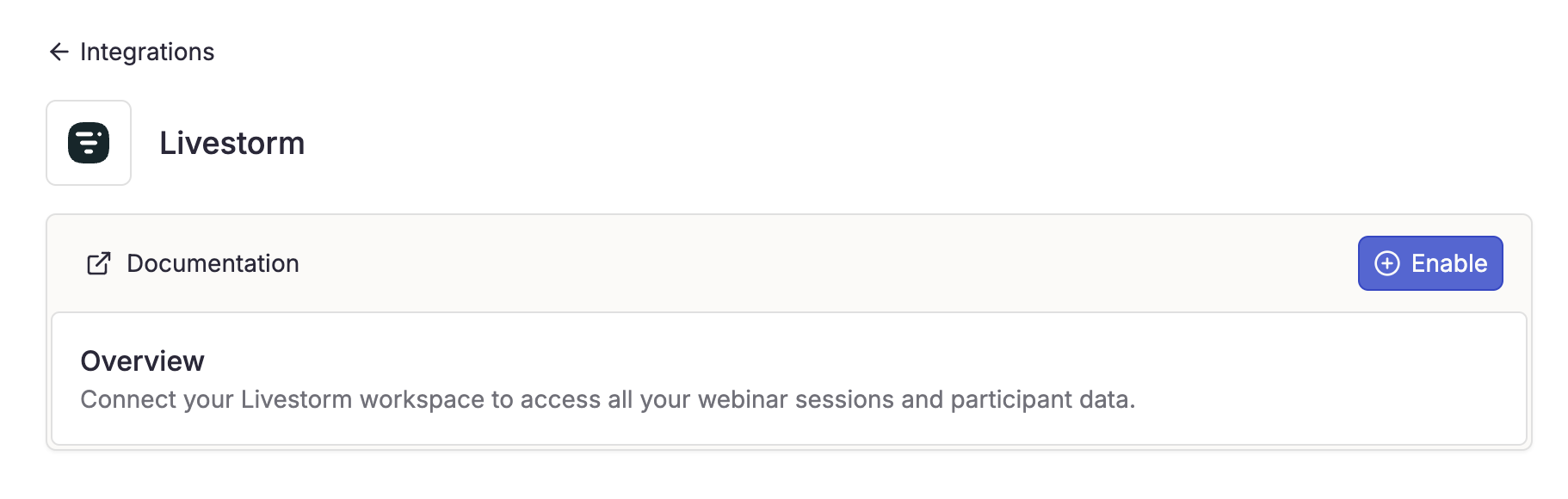 Complete the OAuth process on Livestorm.
You must be an admin of the Livestorm workspace.
Once authorized, you'll be redirected to Conquest.
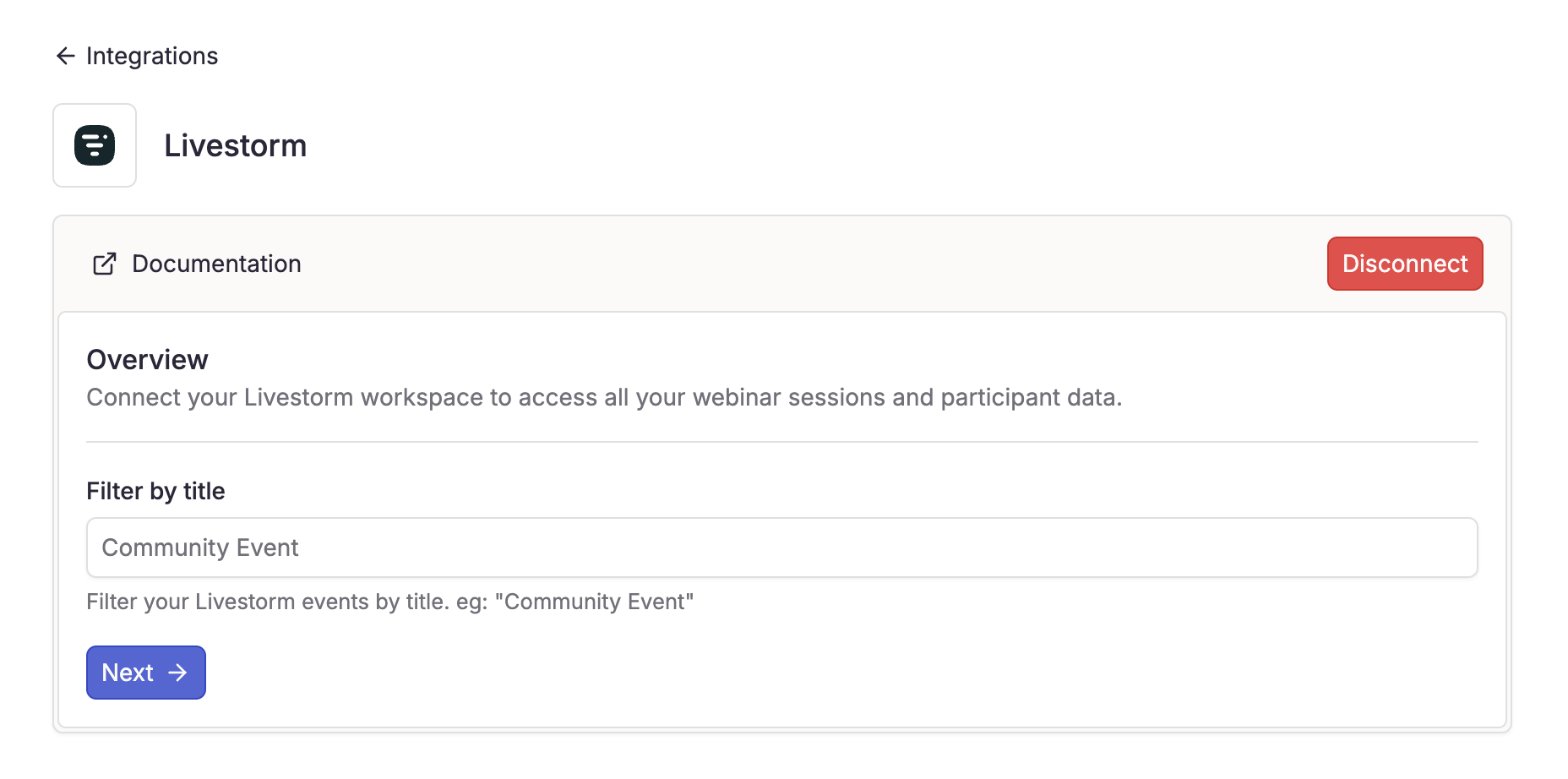
You can filter the events you want to collect by entering keyword to exclude marketing or other non-community webinars.
Complete the OAuth process on Livestorm.
You must be an admin of the Livestorm workspace.
Once authorized, you'll be redirected to Conquest.
You can filter the events you want to collect by entering keyword to exclude marketing or other non-community webinars.
 Conquest automatically generates activity types based on the data collected.
You can customize points for each activity type according to their importance in your community.
Conquest automatically generates activity types based on the data collected.
You can customize points for each activity type according to their importance in your community.
 The data collection duration depends on your number of events and can take from a few minutes to several hours to complete.
## Need Help?
For any issues with your integration, our support team is here to help:
[support@useconquest.com](mailto:support@useconquest.com).
Get additional support and answers by connecting with other Conquest users in our community:
[Slack](https://join.slack.com/t/useconquest/shared_invite/zt-2x4fg4fut-7k0G3_D649TkfPc5WIPdgA).
The data collection duration depends on your number of events and can take from a few minutes to several hours to complete.
## Need Help?
For any issues with your integration, our support team is here to help:
[support@useconquest.com](mailto:support@useconquest.com).
Get additional support and answers by connecting with other Conquest users in our community:
[Slack](https://join.slack.com/t/useconquest/shared_invite/zt-2x4fg4fut-7k0G3_D649TkfPc5WIPdgA).