> ## Documentation Index
> Fetch the complete documentation index at: https://docs.useconquest.com/llms.txt
> Use this file to discover all available pages before exploring further.
# Discourse Integration
> Connect and manage your Discourse community data with Conquest.
The Conquest Discourse integration enables you to access and manage community data from your Discourse workspace. Gain insights into member activities, topics, replies, and engagement metrics, all in one place.
We only collect data from the last 90 days.
## Data Collection
The integration collects information about:
### Members
* **Full Name**
* **Username**
* **Email**
* **Job Title** if provided
* **Avatar**
* **Locale** if provided
* **Tags**
* **User Fields**
* **Joined Date**
### Community Activity
* **Topics** from all categories
* **Replies** to topics
* **Reactions** on posts
* **Replies marked as solved**
* **Invitations**
## Activity Types
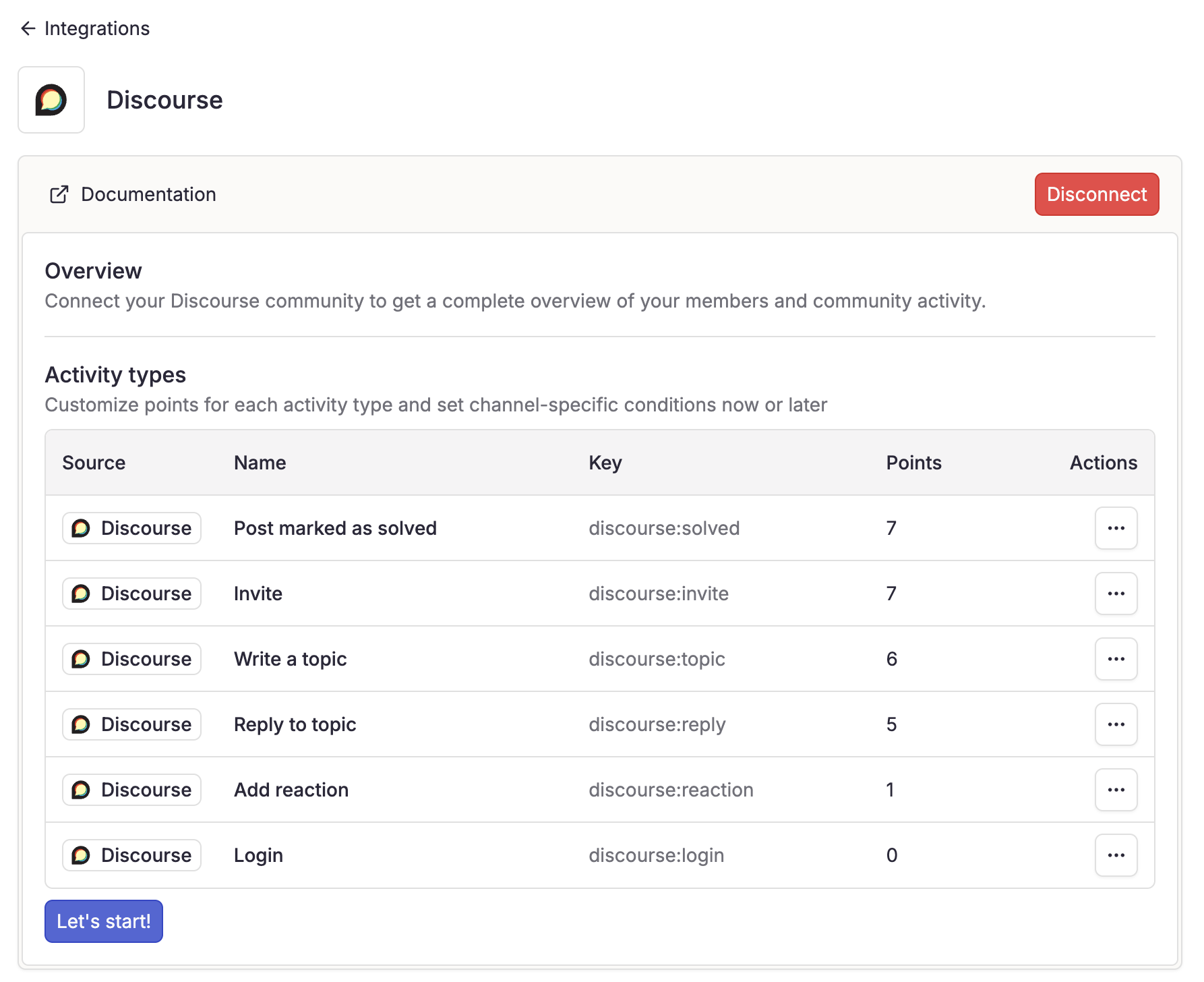
When you connect your Discourse workspace, activity types are automatically generated and integrated.
Activity weights can be customized to fit your community's scoring system.
* **Invitation**
* **Post marked as solved**
* **Write a topic**
* **Reply to topic**
* **Join Discourse community**
* **Add reaction**
* **Login**
## Real-Time Updates
Once connected and webhook is configured, Conquest syncs the following events in real-time:
* **Members joining the workspace**
* **Members updates**
* **Members deleted**
* **Categories, created, updated and deleted**
* **Topics, edited, deleted and recovered**
* **Posts, edited, deleted and recovered**
* **Reactions added**
* **Badges granted and revoked**
* **Accept / unaccept post as solution**
## Setup Guide
1. Navigate to **Settings** > **Integrations**
2. Select **Discourse**
3. Click **"Enable"** to start the connection process
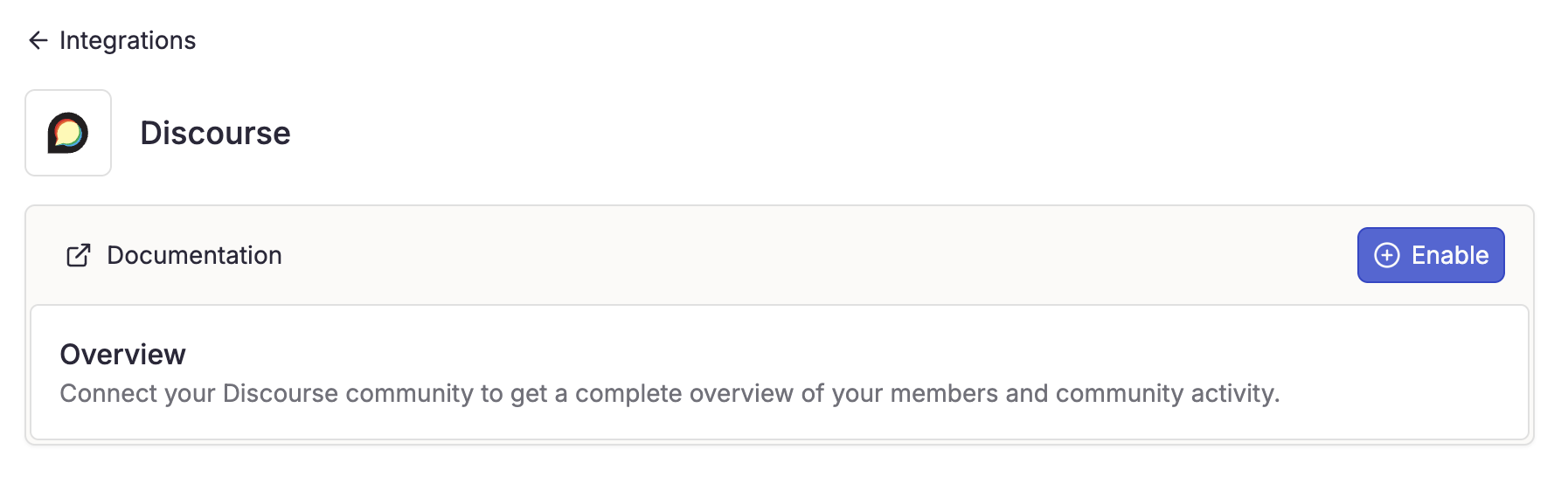 Complete the API / Webhook configuration process on Discourse.
You must be an admin of the Discourse community.
### API
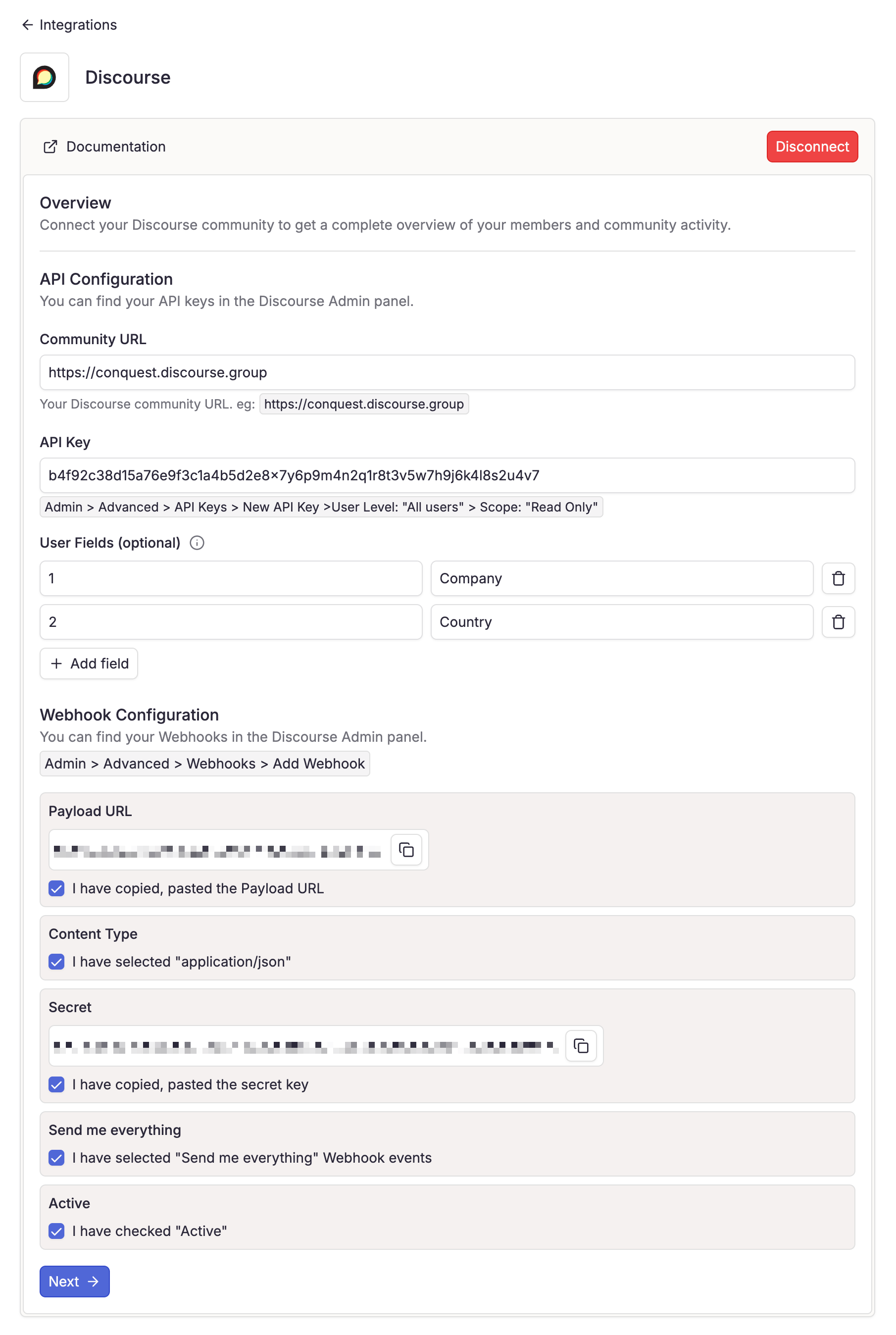
You can create an API key by navigating to **Admin** > **Advanced** > **API Keys** > **Add API Key**.
Add a description to avoid revoking it.
Select **"All users"**
Select **"Read Only"**
If you have custom user fields, you can add them here.
Add\*\*".json"\*\* to the end of your community URL, eg:"[https://your-discourse-community/admin/config/user-fields.json](https://your-discourse-community/admin/config/user-fields.json)".
You will get a JSON response like this:
Complete the API / Webhook configuration process on Discourse.
You must be an admin of the Discourse community.
### API
You can create an API key by navigating to **Admin** > **Advanced** > **API Keys** > **Add API Key**.
Add a description to avoid revoking it.
Select **"All users"**
Select **"Read Only"**
If you have custom user fields, you can add them here.
Add\*\*".json"\*\* to the end of your community URL, eg:"[https://your-discourse-community/admin/config/user-fields.json](https://your-discourse-community/admin/config/user-fields.json)".
You will get a JSON response like this:
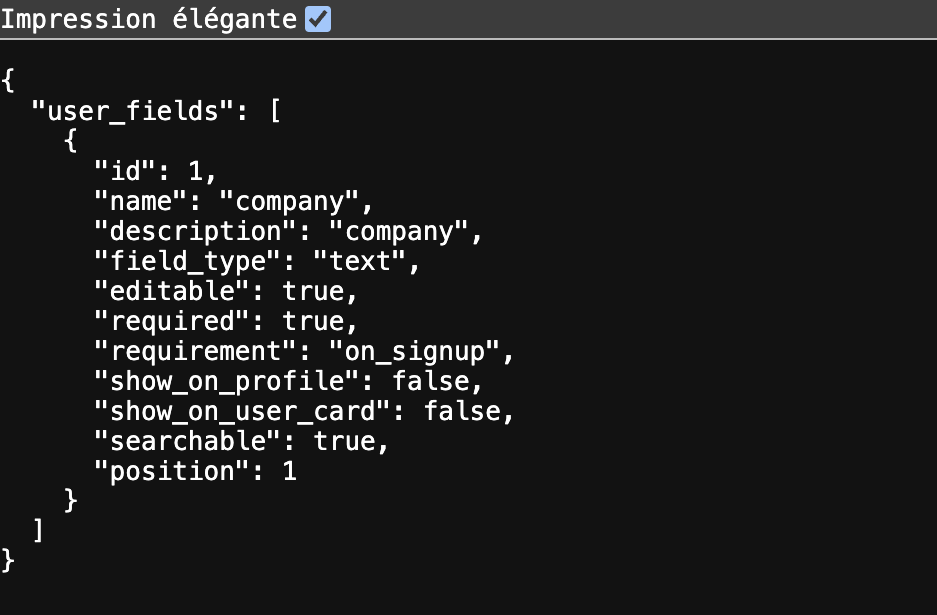 Add the ID and name from the JSON response into the form fields.
 You can add multiple custom fields by clicking the "Add field" button and repeating this process.
 ### Webhook
You can create a webhook by navigating to **Admin** > **Advanced** > **Webhooks** > **Add Webhook**
Add the following URL: `https://app.useconquest.com/webhook/discourse`
Select **"application/json"**
Add a secret provided by Conquest. (It is used to verify the webhook)
This signature is essential for webhook authentication. Without it, we cannot create activities and sync your community in real-time.
Select **"Send me everything"**
Select **"Active"**
Then click on **"Create"**
Conquest will begin importing historical data.
We only collect data from the last 365 days.
Once authorized, you'll be redirected to Conquest to select public channels for data collection.
1. Select the channels you want to collect data from
### Webhook
You can create a webhook by navigating to **Admin** > **Advanced** > **Webhooks** > **Add Webhook**
Add the following URL: `https://app.useconquest.com/webhook/discourse`
Select **"application/json"**
Add a secret provided by Conquest. (It is used to verify the webhook)
This signature is essential for webhook authentication. Without it, we cannot create activities and sync your community in real-time.
Select **"Send me everything"**
Select **"Active"**
Then click on **"Create"**
Conquest will begin importing historical data.
We only collect data from the last 365 days.
Once authorized, you'll be redirected to Conquest to select public channels for data collection.
1. Select the channels you want to collect data from
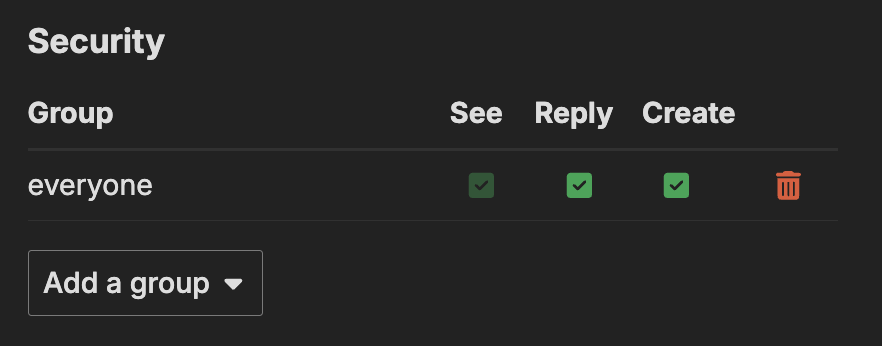
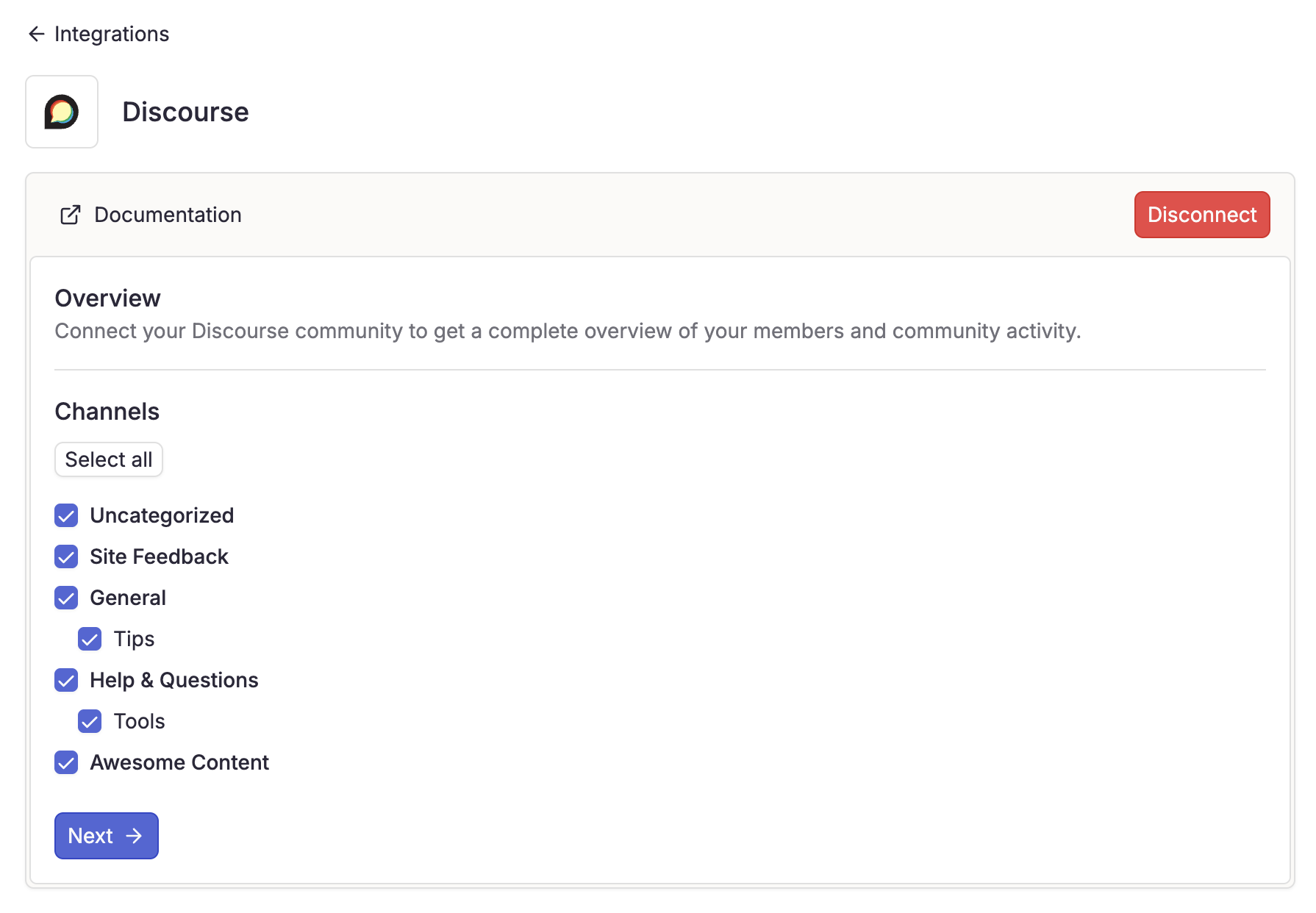 ### Missing channels?
Verify that the category has security group set on "everyone"
### Missing channels?
Verify that the category has security group set on "everyone"
 Conquest will automatically generates activity types based on the data collected.
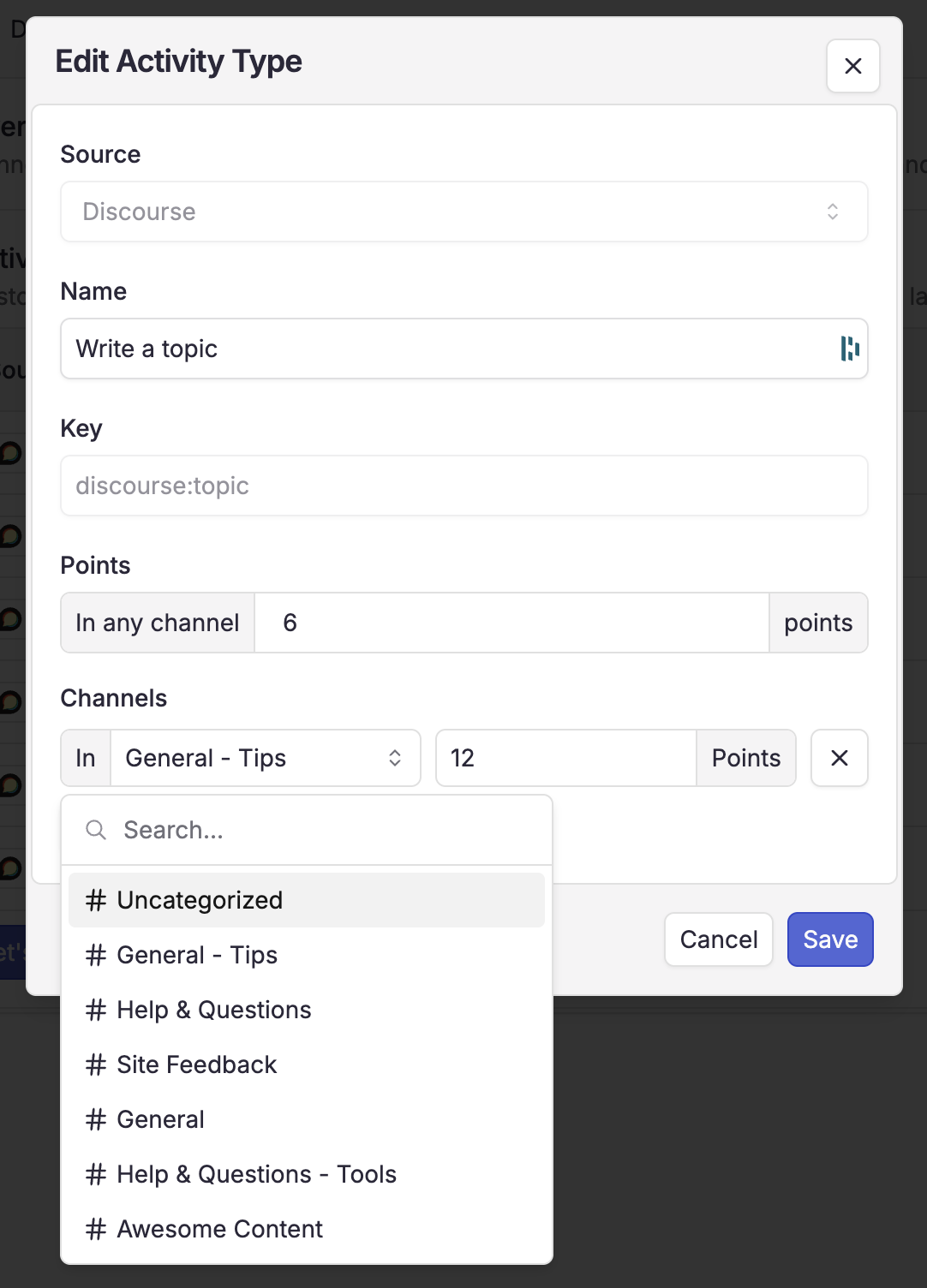
You can add conditions on specific channels to fit your community's scoring system.
Conquest will automatically generates activity types based on the data collected.
You can add conditions on specific channels to fit your community's scoring system.
 The data collection duration depends on your community size and can take from a few minutes to several hours to complete.
## FAQ
If you are not seeing your community updates in Conquest, the most common cause is an incorrect webhook configuration. Please verify that:
* You've added the correct secret key provided by Conquest
* The webhook URL is exactly `https://app.useconquest.com/webhook/discourse`
* Content type is set to "application/json"
* All events are selected ("Send me everything")
* Verify that the webhook is active
Without proper webhook configuration, especially the secret key, we cannot authenticate and process real-time updates from your community.
## Need Help?
For any issues with your integration, our support team is here to help:
[support@useconquest.com](mailto:support@useconquest.com).
Get additional support and answers by connecting with other Conquest users in our community:
[Slack](https://join.slack.com/t/useconquest/shared_invite/zt-2x4fg4fut-7k0G3_D649TkfPc5WIPdgA).
The data collection duration depends on your community size and can take from a few minutes to several hours to complete.
## FAQ
If you are not seeing your community updates in Conquest, the most common cause is an incorrect webhook configuration. Please verify that:
* You've added the correct secret key provided by Conquest
* The webhook URL is exactly `https://app.useconquest.com/webhook/discourse`
* Content type is set to "application/json"
* All events are selected ("Send me everything")
* Verify that the webhook is active
Without proper webhook configuration, especially the secret key, we cannot authenticate and process real-time updates from your community.
## Need Help?
For any issues with your integration, our support team is here to help:
[support@useconquest.com](mailto:support@useconquest.com).
Get additional support and answers by connecting with other Conquest users in our community:
[Slack](https://join.slack.com/t/useconquest/shared_invite/zt-2x4fg4fut-7k0G3_D649TkfPc5WIPdgA).